Version N/A
Beta Version: subject to frequent changes. Please check back often for updates.
ChangelogThe pocket tool for the
Automation Technician
The essential tool for automation engineers and maintenance technicians. Change IPs in one click, scan your PLCs, and diagnose industrial networks without the headache.
PowerShell Core
.NET / WPF
Admin Ready
Everything you need
A modular architecture designed for professionals.
Profile Management
Create, save, and instantly switch between different network configurations (Static IP, DHCP, DNS). No more repetitive manual configuration.
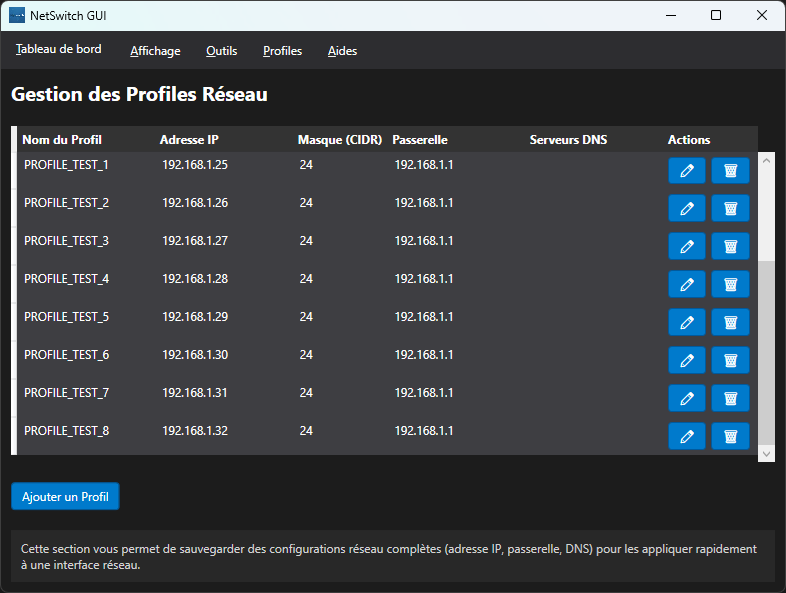
Dual Interface: Total Flexibility
CLI Mode
For maximum field efficiency. A lightweight text interface, ideal for quick diagnostics and Windows Server Core environments.
GUI Mode (WPF)
A modern graphical interface for clear visualization of equipment and PLCs with immediate ease of use.
Administrator: Windows PowerShell
~~~~~~~~~~~~~~~~~~~~~~~~~~~~~~~~
----NetSwitch - Main Menu--
~~~~~~~~~~~~~~~~~~~~~~~~~~~~~~~~
0 -> Launch Graphical Interface (GUI)
1 -> Configure Network Interface
2 -> Display Network Information
3 -> Scan & Search Network
4 -> Application Configuration
5 -> Quit

Your choice (1-5, 0):
Have you used NetSwitch?
Ready to simplify your network management?
Join hundreds of administrators who save time every day.
Frequently Asked Questions
Yes, NetSwitch is fully optimized for Windows 10 and Windows 11. It requires PowerShell 5.1 or higher, which is included by default in these versions.
For some features like changing IP addresses or packet capture, administrator rights are required. NetSwitch automatically handles privilege elevation (UAC) when necessary.
No, the Trial version is free for life. It simply has fewer features than the Pro version (limited number of profiles, no advanced capture).
Absolutely. The CLI (Command Line) version is particularly suited for Windows Server Core environments, but the GUI also works if the Desktop Experience is installed.